Learning touch typing is not only about spending more time at the keyboard.
Many learners practise regularly but still feel stuck. Their speed does not improve, their accuracy keeps dropping, or they still need to look down at the keyboard more than they want to.
The problem is usually not a lack of effort.
Often, learners are repeating small mistakes that slow progress.
Good typing practice is not just more practice. It is better practice.
This guide explains the most common touch-typing mistakes that keep learners stuck and shows you how to fix them in a practical way.
The quick answer
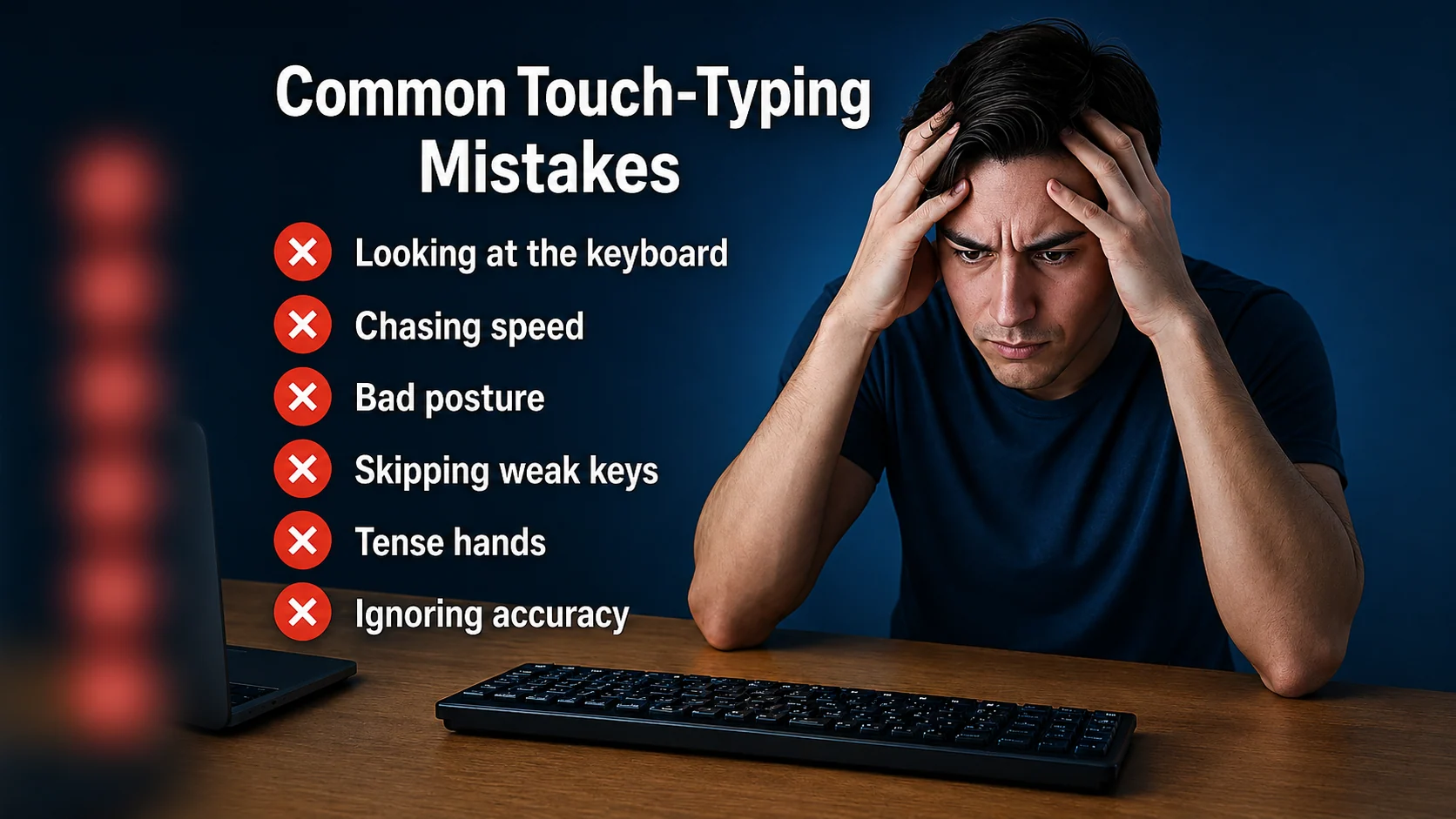
The most common touch-typing mistakes are:
- Chasing speed before accuracy
- Looking at the keyboard too often
- Ignoring the home row
- Practising random text too early
- Skipping weak-key practice
- Typing with tense hands
- Using typing tests as the only practice
- Moving to harder lessons too soon
- Ignoring punctuation, capitals, and numbers
- Practising too long without focus
If your typing has stopped improving, one of these habits is probably getting in the way.
1. Chasing speed too early
This is the biggest mistake for many learners.
It is natural to want a higher WPM score. Seeing the number go up feels rewarding. But if you chase speed before your fingers have learned the correct movements, mistakes usually increase.
Fast typing with poor accuracy does not help much in real life. You spend extra time correcting errors, re-reading text, and losing rhythm.
A better order is:
- Accuracy
- Rhythm
- Speed
If your accuracy is below 95% during normal practice, slow down slightly. Build cleaner movement first. Speed will be easier to improve later.
Tip: A slower clean run is more useful than a faster messy run.
Fix it
Use short drills where the goal is control, not speed.
I can type slowly and clearly.
Clean typing builds better speed.
Accuracy comes before rushing.
Type each line carefully. Try to reduce mistakes before increasing speed.
2. Looking at the keyboard too often
Looking down feels helpful in the moment, but it slows long-term progress.
Every time your eyes leave the screen, your rhythm breaks. You also train your brain to search visually instead of trusting finger memory.
Many beginners do not need to stop looking completely on day one. That can feel stressful. But they do need to reduce the habit gradually.
Fix it
Start with short lines using keys you already know.
My hands can find the keys.
I look at the screen first.
Small steps build trust.
Try this method:
- Place your fingers on the home row.
- Look at the screen.
- Type slowly.
- Only look down if you are completely stuck.
- Reset your fingers and try again.
The goal is not perfection. The goal is to look down less often each week.
3. Ignoring the home row
The home row is the base of touch typing.
If your fingers drift away from it, the whole keyboard becomes harder to control. You may start reaching from random positions, which increases mistakes.
On a standard keyboard, your home row position is:
| Hand | Home row keys |
|---|---|
| Left hand | a s d f |
| Right hand | j k l ; |
Your index fingers rest on f and j. These keys usually have small bumps so you can find them without looking.
Fix it
Before each practice session, reset your hands.
Check:
- Left fingers on
a s d f - Right fingers on
j k l ; - Thumbs near the space bar
- Wrists relaxed
- Fingers returning after each reach
Use this short reset drill:
asdf jkl;
fdsa ;lkj
sad lad ask all
Type slowly and return to the home row after each movement.
4. Practising random text too early
Random typing tests and long paragraphs can be useful later, but they can overwhelm beginners.
If the text includes keys, punctuation, numbers, or capital letters you have not learned yet, practice becomes messy. Instead of building confidence, you may feel lost.
Touch typing works better when the difficulty rises gradually.
A better learning path is:
- Home row
- Short controlled combinations
- Simple words
- Phrases
- Top row and bottom row keys
- Sentences
- Capitals and punctuation
- Numbers and symbols
- Longer copy practice
- Timed tests
Fix it
Practise text that matches your current level.
If you are learning home row, use home row words. If you are learning punctuation, use short sentences with punctuation. Do not jump too far ahead.
Qtype Pro is designed around this kind of structured path so learners do not have to guess what to practise next.
5. Skipping weak-key practice
Many learners keep repeating full typing tests, even though they make the same mistakes every time.
That is like checking the problem again and again without fixing it.
If you keep missing the same key, finger, or combination, you need targeted practice.
Common weak areas include:
- Top row reaches
- Bottom row reaches
- Left-hand keys
- Right-hand keys
- Punctuation
- Shift key timing
- Letter pairs such as
th,br,un, oring
Fix it
Find one weak area and practise it directly.
If r and u are causing mistakes:
run turn under return
under run return turn
return under run turn
If punctuation is causing mistakes:
Yes, I can.
Wait, stop, and check.
Is this correct?
You can also use the Weak Keys Practice tool to identify which keys need more attention.
6. Typing with tense hands
Tension makes typing slower and less accurate.
When learners try hard, they often press keys too firmly, raise their shoulders, stiffen their wrists, or hold their fingers tightly. This makes movement harder.
Good typing should feel controlled but relaxed.
Fix it
Before practising, check your body:
- Are your shoulders relaxed?
- Are your wrists neutral?
- Are your fingers resting lightly?
- Are you pressing keys too hard?
- Is your keyboard directly in front of you?
- Are you breathing normally?
Speed should come from smooth movement, not force.
If your hands feel tired or tight, take a short break. A relaxed five-minute session is better than a tense twenty-minute session.
7. Using typing tests as the only practice
Typing tests are useful, but they are not a complete learning plan.
A test measures what you can do. It does not always teach you what to do next.
If you only take tests, you may keep repeating the same mistakes without building the missing skill.
Fix it
Use tests as checkpoints.
A balanced practice session could look like this:
| Time | Activity |
|---|---|
| 2 minutes | Warm up with easy text |
| 5 minutes | Practise your current lesson |
| 3 minutes | Work on weak keys |
| 2–5 minutes | Take a short typing test |
Take a one-minute typing test to check progress. Use a three-minute typing test to check consistency.
After the test, ask:
What should I practise next?
That question makes the test useful.
8. Moving to harder lessons too soon
It feels good to move forward, but moving too quickly can create problems.
If the current keys still feel uncertain, the next lesson becomes harder. Mistakes increase, confidence drops, and learners start to feel lost.
You do not need perfect scores before moving on, but you should have basic control.
Fix it
Before moving to the next lesson, check:
- Can I find the current keys without constant looking?
- Can I type short words using these keys?
- Can I return to the home row after each reach?
- Is my accuracy improving?
- Do I know which keys still feel weak?
If one key is still causing trouble, spend a few minutes on it before moving ahead.
9. Ignoring capital letters
Some learners practise lowercase letters for a long time, then struggle when real sentences appear.
Capital letters need Shift timing. This adds a new coordination skill. You need to press Shift with one hand while the other hand types the letter.
If you avoid capitals, normal writing will feel harder later.
Fix it
Practise short capital-letter sentences.
Tom can type.
Mia has a plan.
Sam will practise today.
Focus on using the opposite Shift key where possible.
For example, if the capital letter is typed with the left hand, use the right Shift. If the capital letter is typed with the right hand, use the left Shift.
10. Avoiding punctuation and numbers
Office work, study, emails, and daily computer use all include punctuation and numbers.
If you only practise simple words, you may feel confident in lessons but struggle with real typing.
Useful typing includes:
- commas
- full stops
- question marks
- apostrophes
- capital letters
- dates
- times
- prices
- order numbers
- email addresses
Fix it
Add punctuation and numbers gradually.
Yes, I can improve.
Is this correct?
Order 48291 arrived at 10:30.
The total is £127.45.
Do not wait until the end of your learning journey to practise real-world text.
11. Practising for too long without focus
Long practice sessions can feel productive, but they are not always effective.
After a while, attention drops. Hands get tired. Mistakes increase. Learners may end up repeating bad habits.
Short focused sessions are usually better.
Fix it
Try a simple 10-minute session:
| Time | Focus |
|---|---|
| 2 minutes | Easy warm-up |
| 4 minutes | Current lesson |
| 2 minutes | Weak keys |
| 2 minutes | Short test or copy burst |
If you want to practise longer, take a short break between sessions.
Better focus usually beats longer practice.
12. Not reviewing mistakes
A mistake is useful information.
It tells you what your fingers have not learned yet. But if you ignore mistakes, they keep coming back.
After a lesson or test, do not only look at the final score.
Look for patterns:
- Which letters were missed?
- Did mistakes happen on one side of the keyboard?
- Did punctuation cause errors?
- Did mistakes happen when speed increased?
- Did accuracy drop near the end?
- Did you look down before certain keys?
Fix it
Choose one mistake pattern and practise it for a few minutes.
Do not try to fix everything at once. One clear focus is easier to improve.
13. Comparing yourself with fast typists too early
It can be discouraging to see people online typing at very high speeds.
But many of those people have practised for years. Some also type in a way that is not useful for normal learners.
If you are building touch typing from the beginning, your goal is not to beat them this week.
Your goal is to become more accurate, more confident, and more consistent than you were before.
Fix it
Track your own progress.
Useful signs include:
- You look down less often
- You make fewer repeated mistakes
- You complete lessons more calmly
- Your accuracy improves
- Your hands feel more relaxed
- Your WPM increases without forcing it
Your own trend matters more than someone else’s score.
A simple routine to get unstuck
Use this routine for one week if your typing progress feels stuck.
Day 1: Take a short test
Use a one-minute typing test. Write down your WPM and accuracy.
Day 2: Practise slowly
Use short lines and focus only on clean typing.
Day 3: Fix one weak key
Choose one repeated mistake and practise it directly.
Day 4: Reset the home row
Focus on hand position and returning fingers after each reach.
Day 5: Practise rhythm
Type short sentences at a calm, steady pace.
Day 6: Add punctuation
Practise commas, full stops, question marks, and capital letters.
Day 7: Test again
Take another short test. Compare accuracy first, then WPM.
Want a guided path? Try the 7-day typing challenge and build a better daily routine.
How Qtype Pro helps
Qtype Pro helps learners avoid the common mistakes that keep typing progress stuck.
You can use it to:
- Follow a structured lesson path
- Practise keys in the right order
- Track WPM and accuracy
- Identify weak keys
- Repeat difficult areas
- Build confidence with games and challenges
- Use typing tests as progress checkpoints
Instead of guessing what went wrong, Qtype Pro helps you see what to practise next.
If your typing feels stuck, start with a short test, find one weak area, and practise it for a few minutes each day.
Frequently asked questions
Why am I not improving at touch typing?
You may be chasing speed too early, looking at the keyboard too often, skipping weak-key practice, or using typing tests as your only practice. Review your mistakes and practise the patterns that keep repeating.
Should I practise typing fast or slowly?
Practise slowly enough to stay accurate. Once your accuracy is stable, increase speed gradually.
Is it bad to look at the keyboard while learning?
An occasional glance is normal at the beginning, but looking down for every key will slow progress. Try to reduce the habit gradually.
Why does my typing accuracy drop when I go faster?
Your fingers may not yet know the movements well enough at that speed. Slow down, practise the weak keys, and build rhythm before increasing WPM.
Are typing tests enough to learn touch typing?
No. Typing tests are useful for measuring progress, but lessons, drills, weak-key practice, and short copy exercises are needed to build the skill.
How long does it take to stop making typing mistakes?
It depends on your starting point and practice routine. Most learners improve faster with short daily practice and targeted correction instead of random repetition.
Final thought
If touch typing feels stuck, do not simply practise more of the same.
Look for the habit that is holding you back. Slow down when needed. Fix weak keys. Return to the home row. Keep your hands relaxed. Use tests to learn, not just to score.
Small corrections can unlock big progress.