Typing accuracy is the foundation of good typing.
Many learners want to type faster, but speed without accuracy quickly becomes frustrating. Every mistake costs time. Every correction breaks rhythm. Every repeated error trains your fingers to follow the wrong habit.
The good news is simple:
Cleaner typing can be trained. You do not need to be naturally fast or naturally accurate.
This guide will show you how to improve typing accuracy with practical steps you can use straight away.
The quick answer
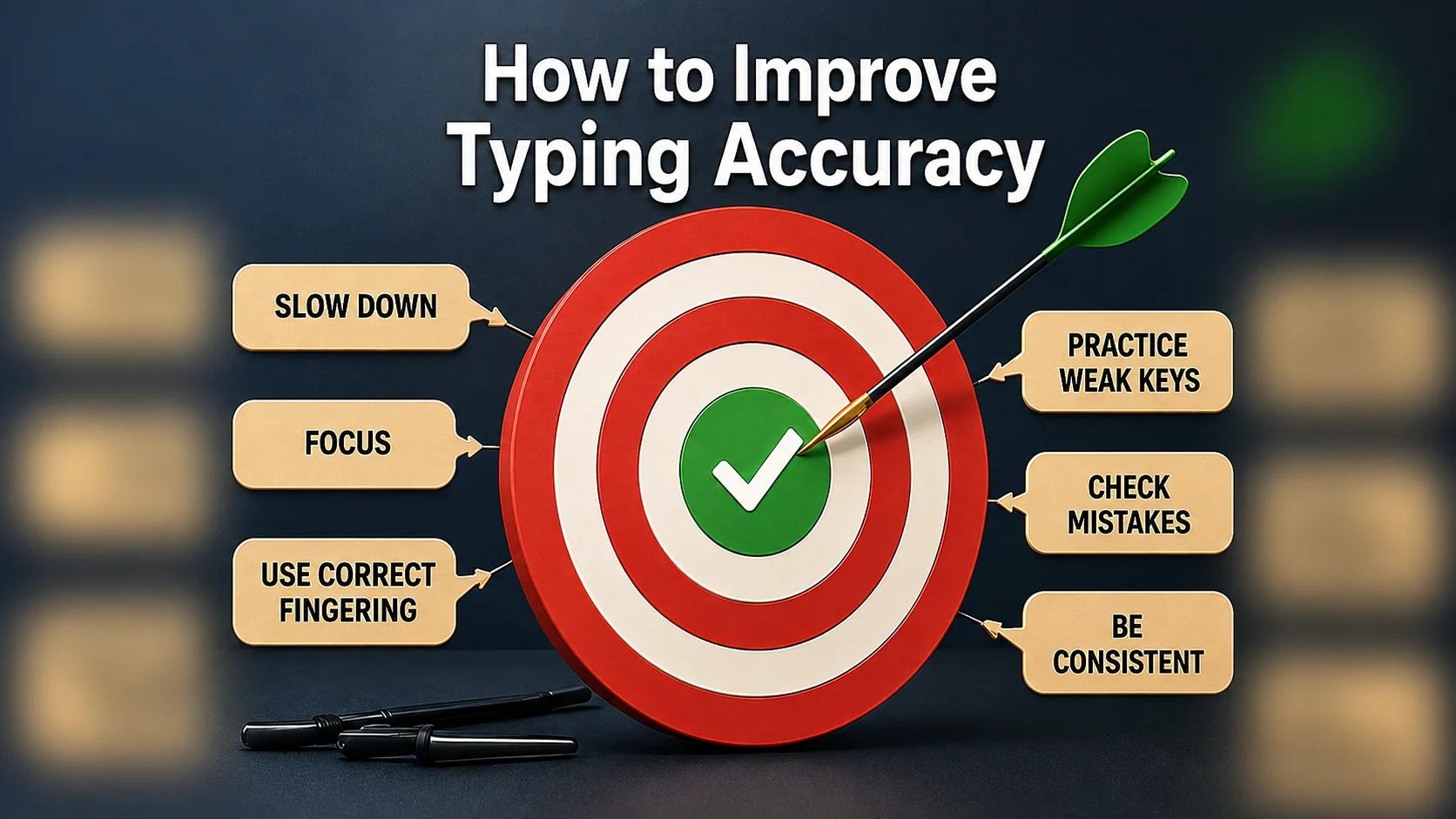
To improve typing accuracy, focus on these habits:
- Slow down before mistakes happen
- Keep your hands relaxed
- Return your fingers to the home row
- Practise weak keys directly
- Read slightly ahead while typing
- Use short, controlled drills
- Track accuracy as carefully as WPM
A good target for most learners is 95% accuracy or higher. If you can type at that level consistently, your speed has a much stronger base to grow from.
1. Slow down to become more accurate
This sounds obvious, but many learners skip it.
If you keep making mistakes, typing faster will not fix the problem. It usually makes the problem worse. Your fingers need time to learn the correct movement before you ask them to move quickly.
A useful rule is:
- Type slowly enough to stay in control.
- Repeat the movement correctly.
- Increase speed only when mistakes reduce.
Tip: Slow practice is not wasted practice. It teaches your fingers the clean path to each key.
Practical drill
Type this line three times slowly:
Clean typing is better than rushed typing.Do not race. Aim for zero mistakes.
Then type it once at a normal pace while keeping the same control.
2. Watch your accuracy score, not only WPM
WPM is useful, but it can become distracting.
If a learner gets 45 WPM with poor accuracy, that result may look better than it really is. In real work, mistakes need correcting. That means the true typing speed is lower than the score suggests.
Accuracy tells you how reliable your typing is.
A simple progress target could be:
| Stage | Target |
|---|---|
| Beginner | 90%+ accuracy |
| Improving | 95%+ accuracy |
| Strong control | 97%+ accuracy |
| Excellent practice run | 98–100% accuracy |
Do not worry if you are not there yet. The aim is steady improvement.
3. Return to the home row
Good typing accuracy depends on your fingers knowing where they are.
The home row gives your hands a reliable starting point. On a standard keyboard, your left index finger rests on f and your right index finger rests on j. Those two keys usually have small bumps to help you find them without looking.
When your fingers return to the home row after each reach, it becomes easier to find the next key accurately.
Check your position:
- Left hand rests on
a s d f - Right hand rests on
j k l ; - Thumbs rest near the space bar
- Fingers return after each reach
- Wrists stay relaxed
If your hands drift away from home row, mistakes usually increase.
4. Fix weak keys instead of repeating the same mistake
Most learners do not make random mistakes. They make patterns of mistakes.
You may keep missing:
- one specific letter
- one side of the keyboard
- top row reaches
- bottom row reaches
- punctuation
- capital letters
- combinations like
th,ing,br, orun
Repeating full typing tests will show the problem, but it may not fix the problem.
Weak-key practice is more direct.
Weak-key drill example
If you often miss r and u, practise short combinations like:
run run run
turn under return
under turn run return
If you often miss punctuation, practise simple sentences:
Stop, look, and type.
Yes, I can improve.
Accuracy matters.
You can also use the Weak Keys Practice tool to find the keys that need more attention.
5. Build rhythm instead of typing in bursts
Inaccurate typing often comes from uneven rhythm.
Many learners type like this:
fast, fast, fast, mistake, pause, correction, fast again
That pattern creates stress and more errors.
A better rhythm feels steady. You type at a pace you can control, even if that pace is slower at first.
Try typing these lines with an even beat:
I type each word with care.
Good rhythm reduces mistakes.
Small habits build accuracy.
Do not rush the easy words. Do not panic on the harder ones. Keep the pace calm and even.
6. Read slightly ahead
Typing accuracy improves when your eyes and fingers work together.
If you only look at one letter at a time, your typing may feel choppy. If you read too far ahead, you may lose your place. The useful middle ground is to read just a little ahead.
Try to see the next word while your fingers are typing the current word.
For example, in this sentence:
Practice builds calm and accurate typing.When you are typing Practice, your eyes should already be aware that builds is coming next.
This helps your fingers prepare for the next movement.
7. Do not overuse the backspace key
Backspace is useful, but it can also become a habit.
Some learners press backspace so often that their rhythm never has a chance to settle. They type, correct, type, correct, and never build smooth movement.
When you are practising accuracy, use two types of sessions.
Session type 1: correction practice
Fix mistakes as you type. This is useful for realistic typing.
Session type 2: flow practice
Keep going even if you make a small mistake. Review errors at the end.
Both are useful. Correction practice helps clean output. Flow practice helps rhythm and confidence.
Tip: If you stop after every tiny mistake, your typing can become nervous. Sometimes it is better to finish the line and review the pattern afterwards.
8. Practise short text before long text
Long paragraphs are useful later, but they are not always best for accuracy training.
If you are making many mistakes, long text can feel overwhelming. Short drills are easier to control and easier to repeat.
Start with:
- short words
- short phrases
- one-line sentences
- simple punctuation
- controlled copy bursts
Then move to longer paragraphs when your accuracy improves.
Short accuracy drill
A calm hand makes clean work.
I can slow down and type clearly.
Each key press should feel controlled.
Repeat the same lines two or three times. Try to reduce mistakes each time.
9. Check your posture and hand tension
Typing accuracy is not only about fingers. Your whole setup matters.
If you are uncomfortable, tense, or reaching awkwardly, your mistakes can increase.
Before practising, check:
- Is your chair comfortable?
- Are your shoulders relaxed?
- Are your elbows close to your body?
- Are your wrists neutral?
- Is the keyboard directly in front of you?
- Is the screen easy to read?
- Are you pressing keys too hard?
You do not need a perfect office setup, but you do need a position that allows relaxed movement.
10. Practise capitals and punctuation separately
Many learners type letters accurately but lose control when punctuation and capital letters appear.
That is normal. Capitals require Shift timing. Punctuation often uses weaker fingers or less familiar reaches.
Practise them separately before mixing them into long text.
Capital letter drill
Tom can type.
Sam is ready.
Kate will practise.
Punctuation drill
Yes, I can.
Wait, stop, and check.
Is this correct?
Once those feel comfortable, combine them into normal sentences.
11. Use typing tests correctly
Typing tests are useful, but they should not be the whole training plan.
Use a one-minute typing test to check your current control. Use a three-minute typing test to see whether your accuracy holds up for longer.
After the test, look at:
- Your accuracy percentage
- Your most common mistakes
- Whether you rushed near the end
- Whether punctuation reduced accuracy
- Whether certain fingers caused more errors
Do not only ask:
How fast was I?
Ask:
What mistake pattern should I fix next?
That question turns the test into useful practice.
A simple 7-day typing accuracy routine
Use this routine for one week.
Day 1: Measure your starting point
Take a one-minute typing test. Write down your WPM and accuracy.
Day 2: Slow control
Practise short lines slowly. Aim for clean typing, not speed.
Day 3: Weak-key practice
Choose your most common mistake and practise it directly.
Day 4: Home row reset
Focus on returning your fingers to the home row after every reach.
Day 5: Rhythm practice
Type short sentences at a calm, even pace.
Day 6: Punctuation and capitals
Practise commas, full stops, question marks, and simple capital letters.
Day 7: Test and review
Take a three-minute typing test. Compare your accuracy with day 1.
Want a guided habit? Try the 7-day typing challenge and build accuracy step by step.
Common mistakes that hurt typing accuracy
Avoid these habits:
- Chasing speed too early
- Looking at the keyboard too often
- Ignoring repeated mistakes
- Practising difficult text before basic control is ready
- Sitting with tense shoulders or wrists
- Pressing keys too hard
- Skipping punctuation practice
- Taking tests without reviewing errors
Small mistakes become habits if they are repeated often. Correct them early and your typing will feel much easier later.
How Qtype Pro helps
Qtype Pro is built to help learners improve typing accuracy in a structured way.
You can use it to:
- Learn keys in a sensible order
- Practise short controlled lessons
- Track accuracy and WPM
- Find weak keys
- Repeat difficult areas
- Build confidence with games and challenges
- Use typing tests to measure progress
The goal is not only to type faster. The goal is to type with confidence, control, and fewer mistakes.
Start with a short typing test, find your weak keys, and practise accuracy for a few minutes each day.
Frequently asked questions
What is a good typing accuracy?
For everyday typing, 95% accuracy is a strong practical target. Beginners may start lower, but the aim should be to improve gradually.
Is typing accuracy more important than speed?
Yes, especially while learning. Speed becomes more useful when accuracy is stable. Fast typing with many mistakes often slows you down in real work.
How can I stop making typing mistakes?
Slow down, return to the home row, practise weak keys, and use short accuracy drills. Most mistakes improve when you practise the exact pattern causing trouble.
Should I correct mistakes while practising?
Sometimes yes, sometimes no. Correction practice is useful, but flow practice is also helpful. Try both: one session where you correct errors and one session where you finish the line before reviewing mistakes.
Why does my accuracy drop during typing tests?
Accuracy often drops because of pressure, rushing, tired hands, weak keys, or unfamiliar punctuation. Use tests to find the pattern, then practise that pattern separately.
Can I improve typing accuracy without typing faster?
Yes. In fact, that is often the best starting point. Improve control first. Speed can grow later from cleaner movement.
Final thought
Typing accuracy improves through calm, repeated control.
Slow down when needed. Fix the keys that cause trouble. Keep your hands relaxed. Practise short lines with full attention.
Cleaner typing today becomes faster typing later.