Touch typing can fit well into a homeschool routine.
It does not need to take over the day. Short, regular typing sessions can help children and learners build keyboard confidence for writing, online learning, research, emails, and future work.
Homeschool typing works best when practice is short, structured, and consistent.
This guide gives you a simple weekly plan you can use at home.
The quick answer
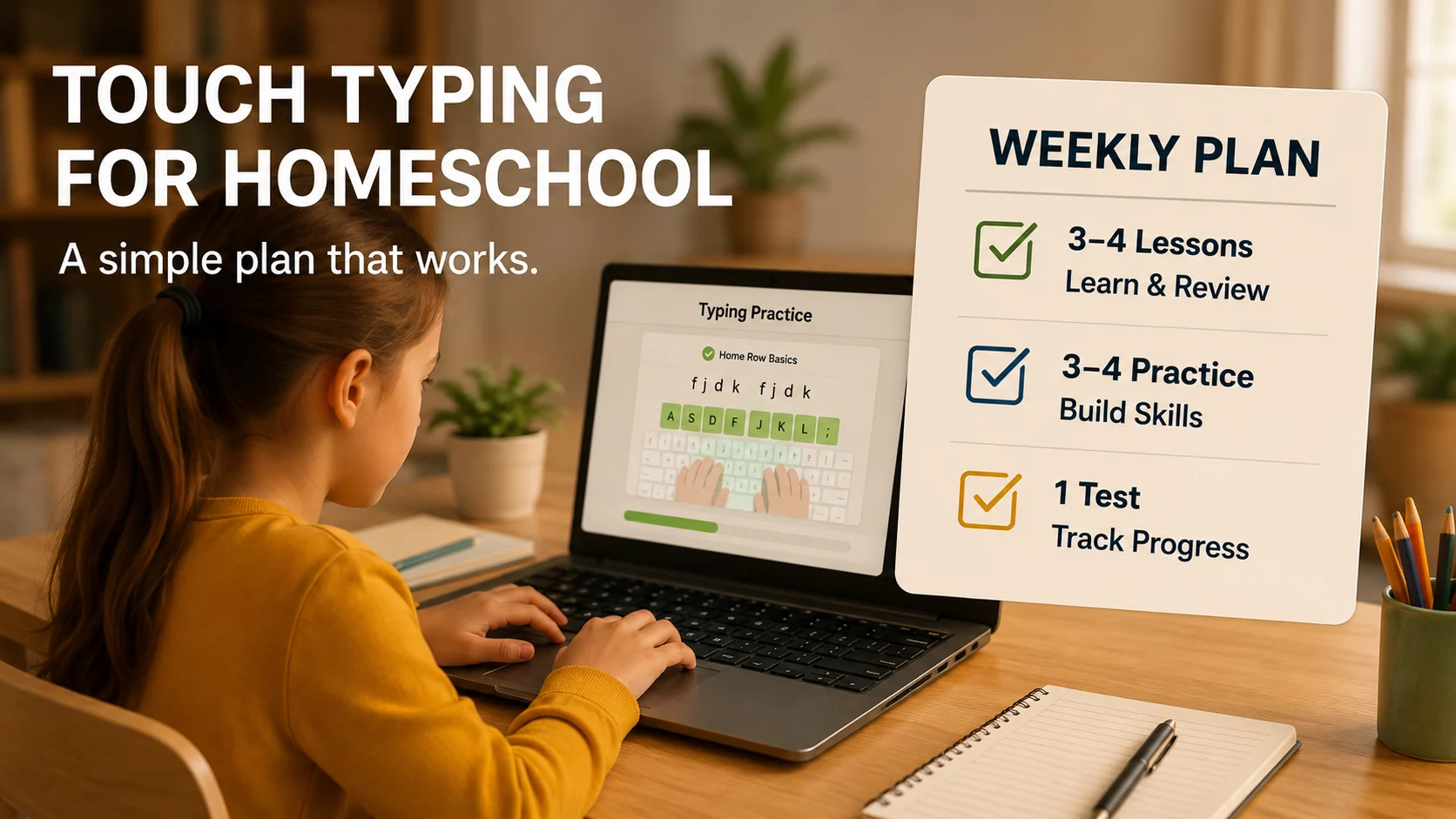
A useful homeschool typing plan includes:
- 3 to 4 short lessons per week
- 10 to 15 minutes per session
- accuracy before speed
- weak-key review
- typing games for motivation
- one weekly progress check
The aim is not to create pressure. The aim is to build a useful lifelong keyboard skill.
Why touch typing matters for homeschool learners
Typing can support many learning tasks, including:
- writing assignments
- online learning
- research
- note-taking
- emails
- creative writing
- coding basics
- digital confidence
When typing is slow or uncomfortable, learners may avoid writing. Better keyboard skills can make digital work feel easier.
What age should children start touch typing?
There is no single perfect age.
A learner may be ready when they can:
- sit comfortably at a keyboard
- follow short instructions
- practise for 10 minutes
- recognise letters confidently
- use both hands with guidance
For younger children, keep sessions very short and positive. For older learners, use more structured lessons and progress tracking.
Keep sessions short
Long typing sessions can make children tired and frustrated.
A simple session can be:
| Time | Activity |
|---|---|
| 2 minutes | warm-up |
| 5 minutes | lesson practice |
| 3 minutes | weak keys |
| 2–5 minutes | game or short test |
This is enough to build progress without making typing feel like a punishment.
Weekly homeschool typing plan
Monday: Learn or review a lesson
Focus on one small skill.
Examples:
- home row
- top row
- bottom row
- capital letters
- punctuation
Keep accuracy visible.
Tuesday: Short practice and weak keys
Review mistakes from Monday.
Use short drills:
I can type with care.
Small steps build skill.
Good habits help me learn.
Wednesday: Typing game or challenge
Use a game or short challenge to keep motivation high.
Games should support learning, not replace lessons completely.
Thursday: Real writing practice
Type a short paragraph, journal entry, or homeschool topic sentence.
Example:
Today I learned something new. I practised carefully and tried to make fewer mistakes.Friday: Progress check
Take a short typing test or repeat a familiar drill.
Use a one-minute typing test if the learner is ready.
Look at:
- accuracy
- WPM
- confidence
- weak keys
- whether they looked down less
Accuracy before speed
Children may want to race. That can be fun, but too much racing can create mistakes.
A good rule is:
Clean typing first, speed later.
Encourage learners to keep accuracy high and hands relaxed.
How parents can support typing practice
Parents can help by:
- setting a calm routine
- keeping sessions short
- praising accuracy and effort
- avoiding pressure about speed
- reviewing weak keys
- choosing realistic practice text
- celebrating small improvements
Do not compare siblings or learners too much. Each learner progresses differently.
Use games carefully
Typing games can help motivation.
They are useful for:
- short rewards
- reaction practice
- confidence
- variety
- keeping learners engaged
But games should be balanced with lessons and accuracy practice.
A good structure is:
- lesson first
- weak-key practice
- game or challenge
- short review
What to track each week
Track simple things:
- lessons completed
- accuracy
- WPM
- weak keys
- confidence
- looking down less often
- ability to type short sentences
Progress is not only speed. Confidence matters too.
Simple homeschool typing drills
Beginner drill
I can type slowly.
My hands stay calm.
I practise each day.
Accuracy drill
Clean typing helps my work.
I will check each word.
Good practice builds skill.
Real writing drill
This week, I learned how to practise touch typing. I will keep improving with short daily sessions.How Qtype Pro helps homeschool learners
Qtype Pro can support homeschool typing because it includes:
- structured lessons
- typing tests
- weak-key practice
- progress tracking
- games and challenges
- a clear learning path
Parents do not need to invent every drill from scratch. The learner can follow a guided course.
See also Typing Practice for Homeschool.
Frequently asked questions
How often should homeschool learners practise typing?
Three to four times per week is a good start. Daily short practice is also useful if the learner stays motivated.
How long should each session be?
10 to 15 minutes is enough for many learners. Younger children may need shorter sessions.
Should children focus on speed?
Accuracy should come first. Speed can grow later as the learner becomes more confident.
Are typing games enough?
Typing games help motivation, but they work best alongside structured lessons and accuracy practice.
Final thought
Touch typing can become a simple part of homeschool learning.
Keep sessions short. Follow a plan. Practise accuracy. Use games for motivation. Review progress once a week.
Small consistent practice can build a useful skill for school, work, and everyday digital life.