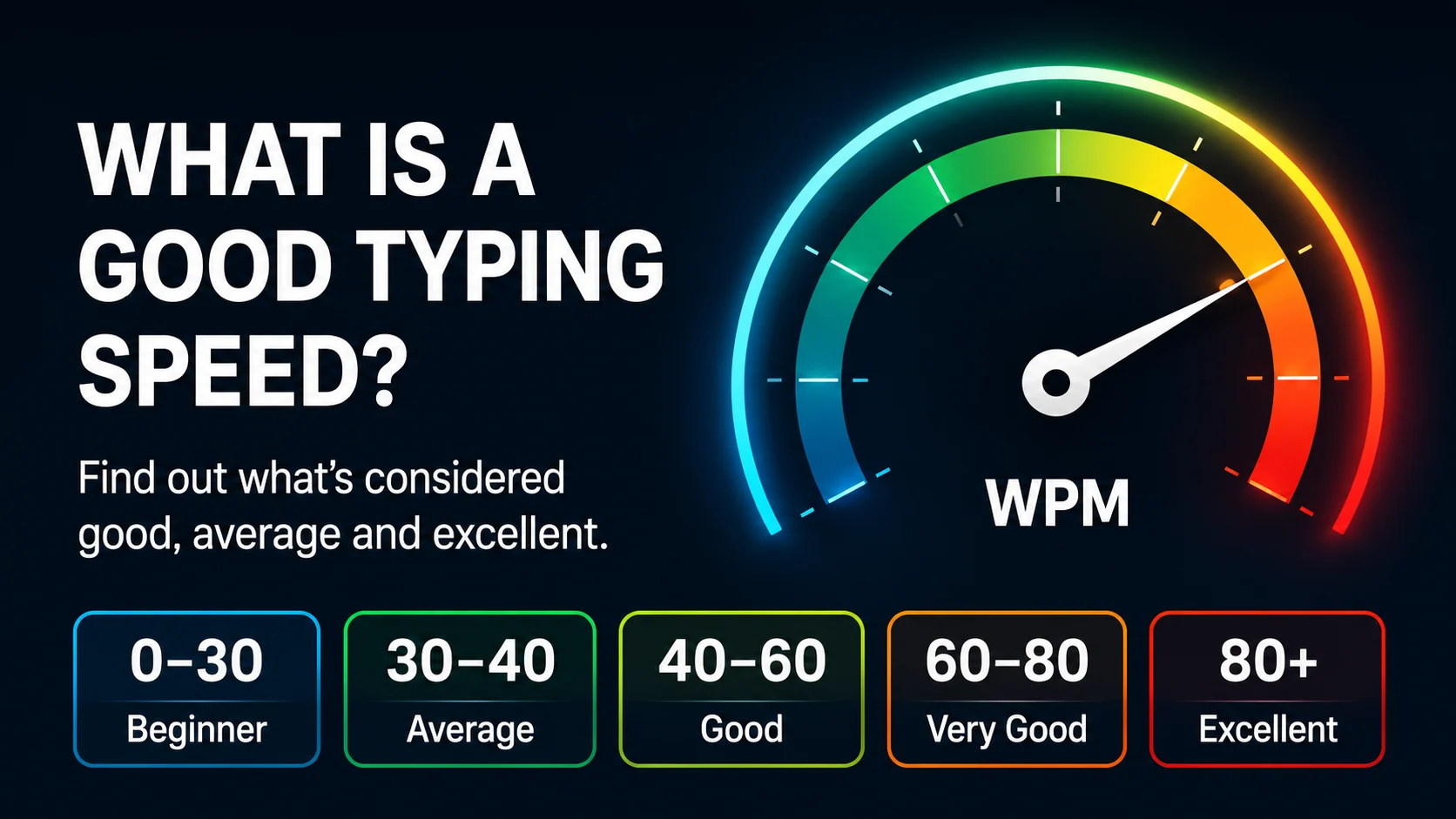
A good typing speed depends on what you need typing for.
Someone writing occasional emails does not need the same typing speed as someone doing data entry, transcription, customer support, or daily office admin. The useful goal is not always the highest WPM. It is typing quickly enough for your tasks while staying accurate and comfortable.
A good typing speed is one that helps you work smoothly without constant mistakes or hesitation.
This guide explains common WPM ranges, what they mean, and how to improve your typing speed in a practical way.
The quick answer
A useful guide is:
| Typing speed | What it usually means |
|---|---|
| 20–30 WPM | Beginner level |
| 35–45 WPM | Comfortable for many everyday tasks |
| 50–60 WPM | Strong practical target for work and study |
| 70+ WPM | Fast for most normal users |
For many adults, students, and office users, 40 to 60 WPM with good accuracy is a strong and realistic target.
What WPM means
WPM means words per minute.
In typing tests, one word is usually treated as five characters, including spaces. This makes results easier to compare, even if one text has longer words than another.
But WPM alone does not tell the whole story.
A typing result should also include:
- accuracy
- mistakes
- consistency
- punctuation control
- ability to type for more than one minute
- comfort and confidence
A high WPM with many mistakes is less useful than a slightly lower WPM with clean typing.
Is 30 WPM good?
30 WPM is a normal beginner or early-improver range.
At this speed, you can handle basic typing tasks, but office work, study notes, or long emails may still feel slow. If you are around 30 WPM, a good next target is 40 WPM with high accuracy.
Do not rush straight to 60 WPM. Build accuracy first.
Is 40 WPM good?
Yes. 40 WPM is useful for many everyday tasks, especially if accuracy is strong.
At 40 WPM, you can usually type emails, forms, messages, and short documents comfortably. For many office roles, this is a practical starting point.
A good next goal is:
Move from 40 WPM to 50 WPM while keeping accuracy above 95%.
That improvement can make daily computer work feel much easier.
Is 60 WPM fast?
60 WPM is a strong typing speed for most people.
At this level, typing is usually not a major barrier. You can write emails, notes, reports, and messages quickly enough for many work and study tasks.
But the number only matters if it is controlled.
If your accuracy drops badly at 60 WPM, slow down and practise cleaner movement.
Accuracy matters as much as speed
A useful typing result should not be judged by WPM alone.
Compare these two results:
| Result | What it means |
|---|---|
| 65 WPM, 88% accuracy | Fast but messy |
| 50 WPM, 97% accuracy | Slower but more useful |
In real work, mistakes cost time. You may need to backspace, rewrite, proofread, or correct information.
Clean typing often feels faster because you waste less time fixing errors.
What is a good typing speed for office jobs?
For many office jobs, a useful target is 40 to 60 WPM with good accuracy.
Roles that may benefit from stronger typing include:
- admin assistant
- data entry
- customer service
- receptionist
- office support
- virtual assistant
- legal or medical secretary
- student support roles
For typing-heavy jobs, aim for 50 WPM or more with steady accuracy.
You can read more in What Typing Speed Is Useful for Office Jobs?.
What is a good typing speed for students?
Students benefit from typing that is comfortable and accurate.
A student does not always need very high speed, but faster typing can help with:
- notes
- essays
- online assignments
- research
- emails
- revision materials
A useful student target is often 40 to 60 WPM with good accuracy.
How to measure your typing speed
Start with a one-minute typing test. This gives you a quick snapshot.
Then try a three-minute typing test to check whether your typing stays consistent for longer.
After each test, record:
- WPM
- accuracy
- common mistakes
- keys that slowed you down
- whether punctuation caused errors
This turns a typing test into useful feedback.
How to improve your typing speed
Use a balanced routine:
- Practise current lessons
- Keep accuracy above 95%
- Fix weak keys
- Use short typing tests
- Build rhythm with short copy bursts
- Practise a little every day
Simple speed drill
I type with calm control.
Good rhythm builds speed.
Clean typing saves time.
Type each line smoothly. Do not rush the easy words and panic on the harder ones.
Common mistakes when chasing WPM
Avoid these habits:
- ignoring accuracy
- taking too many tests without lessons
- typing with tense hands
- looking at the keyboard too often
- comparing yourself too much with others
- using only easy text
- skipping punctuation practice
A good typing speed should be useful in real tasks, not only in a simple test.
How Qtype Pro helps
Qtype Pro helps you improve typing speed while keeping accuracy visible.
You can use it to:
- follow structured lessons
- practise weak keys
- track WPM and accuracy
- take typing tests
- build confidence through games and challenges
Instead of chasing one score, you build a complete typing habit.
Frequently asked questions
What is an average typing speed?
Many everyday users type somewhere around the 30 to 45 WPM range, but the useful target depends on your goals.
Is 40 WPM enough?
40 WPM is useful for many everyday and office tasks if your accuracy is high.
Is 60 WPM good?
Yes. 60 WPM is strong for most work, study, and daily typing tasks.
Should I improve speed or accuracy first?
Improve accuracy first. Speed becomes more useful when mistakes are under control.
Final thought
A good typing speed is not just a number.
For most learners, the best goal is steady, accurate typing that feels comfortable in real life. Build accuracy, practise weak keys, and let speed grow from control.